

Picking a ticketing system for an internal IT team comes down to one practical question: how quickly can an employee get unblocked when a laptop dies, an account locks them out, or a piece of software stops working. When requests scatter across email, Slack DMs, and hallway conversations, nothing gets a real owner, nothing gets tracked, and the same problem gets reported three different ways before anyone touches it. A ticketing system solves that by giving every request a status, an owner, and a paper trail from open to close.
This guide ranks the 10 best ticketing systems built for internal IT and service management in 2026, led by InvGate Service Management, our top pick for IT teams moving off a legacy ITSM platform that has become too slow or too expensive to keep running.
What Is a Ticketing System?
A ticketing system is the software an IT team uses to log, assign, and resolve requests from the employees it supports. Rather than a shared inbox where messages queue up in arrival order, every request becomes a ticket with a category, a priority, an assignee, and a running history, so nothing depends on someone remembering where a conversation left off.
Most platforms sold today do considerably more than log tickets. They typically include IT asset and configuration management (CMDB) so a ticket can be tied to the actual device or license involved, service level agreement (SLA) timers that flag a request before it breaches its deadline, a self-service portal where employees can find answers or submit a well-formed request without waiting on an agent, and reporting that surfaces where ticket volume actually goes. For an IT manager, that reporting layer doubles as a record of departmental performance, showing which categories of requests dominate the queue and where a process is quietly breaking down.
Beyond the IT department itself, the strongest platforms extend the same ticketing core to HR, Legal, Facilities, and Finance, so onboarding requests, contract reviews, and maintenance tickets all run through one system instead of a different tool per department.
The 10 Best Ticketing Systems for Internal IT, Compared
Before the full reviews, here is how the top 10 platforms compare on what an internal IT team actually evaluates: what each one is best for, its core feature set, its general pricing tier, and what sets it apart from the rest of the field.
| # | Platform | Best For | Key Features | Pricing Tier | Standout Differentiator |
|---|---|---|---|---|---|
| 1 | InvGate Service Management | IT teams replacing legacy ITSM systems | Ticketing, asset/CMDB integration, no-code workflow builder, Virtual Service Agent, multi-department service catalog | Starter $1,499/year (5 agents); Pro $500/agent/year; Enterprise custom | No developer or partner required to build or change workflows, forms, and approval chains |
| 2 | ServiceNow | Large enterprises needing full-scale ITSM/ITOM | Ticketing, incident/problem/change management, CMDB, workflow automation, enterprise integrations | Contact sales only | Broadest enterprise workflow and platform extensibility of any tool on this list |
| 3 | BMC Helix ITSM (Remedy) | Large, regulated enterprises needing deep automation | Ticketing, predictive incident matching, multi-cloud change/release management, native AI, CMDB | Contact sales only | Purpose-built for complex, regulated environments with heavy integration needs |
| 4 | Ivanti Neurons for ITSM | Enterprises unifying ITSM with security and endpoint management | Ticketing, incident management, self-service portal, SLA management, unified endpoint/asset visibility | Contact sales; third-party guides estimate roughly $100 to $500 per user per month depending on modules | Combines ITSM workflows with Ivanti’s broader unified endpoint and security stack |
| 5 | Freshservice | AI-driven service desk automation | Ticketing, asset management, SLA management, Freddy AI Copilot, self-service portal | From $19/user/month, billed annually | AI-generated ticket summaries and auto-routing built into the core workflow |
| 6 | SysAid | Teams wanting ITSM and asset management bundled with built-in AI | Ticketing, asset management, CMDB, change management, built-in AI copilot | Contact sales; independent guides estimate the ITSM tier around $89/agent/month list price | AI features and asset discovery ship inside the core plans rather than as a bolt-on |
| 7 | Deskpro | Teams that need one platform to flex between IT and other departments | Ticketing, self-service portal, known-issue management, multi-department workspaces, on-premise or cloud deployment | Team $39/user/month; Professional $59/user/month; Enterprise $99/user/month | One of the few tools on this list offering a genuine on-premise deployment option |
| 8 | SuperOps | MSPs wanting PSA and ITSM ticketing in one unified platform | Ticketing, asset management, patch management, remote access, PSA billing and contracts | PSA-only from $79/month; unified Pro/Super tiers $129 to $159/month, per technician | Combines professional services automation with ITSM ticketing for teams managing multiple client organizations |
| 9 | Spiceworks Cloud Help Desk | Best free ticketing tool for small IT teams | Ticketing, asset tracking, automation rules, unlimited end users | Free Core plan (ad-supported); Premium $6/agent/month | Full ticketing and asset tracking at no cost, with a low-cost ad-free tier above it |
| 10 | osTicket | Teams wanting full control via open source | Ticketing, custom queues and fields, SLA plans, employee self-service portal, self-hosted or cloud | Free to self-host; cloud-hosted plans from roughly $12/agent/month | Source code you control outright, with no per-agent license required to run it yourself |
Pricing shifts frequently and several of these vendors quote per-user rates only after a sales conversation, so treat the figures above as directional and confirm current numbers with each vendor before you commit budget.
In-Depth Reviews: The 10 Best Ticketing Systems for Internal IT in 2026
1. InvGate Service Management: Best for IT teams replacing legacy ITSM systems
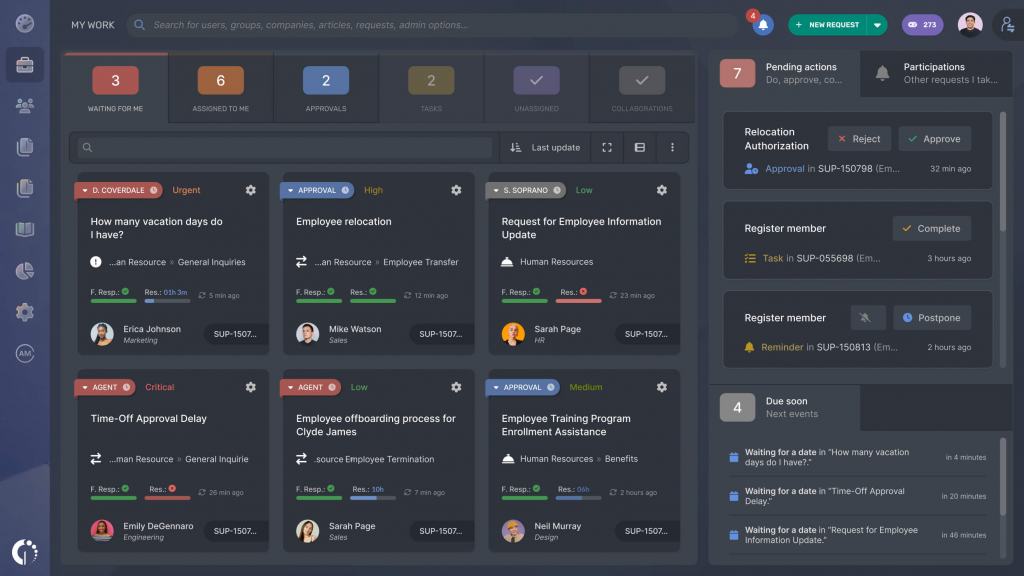
InvGate Service Management is built for IT teams of roughly 1,000 to 10,000 employees who are stepping away from an aging or over-engineered incumbent platform. Admins configure workflows, forms, and approval chains directly through the interface, with no developer, partner, or certification required to make a change. It pairs natively with InvGate Asset Management so ticket context includes live hardware data, and the same portal extends service delivery to HR, Legal, Facilities, and Finance.
Pros
- Admins build and change workflows, forms, and approval chains directly, with no developer or professional-services engagement.
- A Virtual Service Agent resolves routine requests across the self-service portal, WhatsApp, Teams, and Slack, using only approved knowledge.
- AI capabilities are available in all tiers for on-premise and cloud users, no add-on or specific tier required.
- Approvers don’t consume a paid license, keeping approval chains cheap to staff.
- Most rollouts reach production within weeks rather than dragging into quarters.
Cons
- Project management capabilities are limited compared to a dedicated PM tool.
- Round-the-clock support sits behind the Enterprise plan; lower tiers get business-hours coverage.
- No dedicated MSP or multi-tenant edition is offered.
Pricing
- Starter is a flat $1,499/year, covering 5 agents.
- Pro runs $500 per agent per year, for 5 to 50 agents.
- Enterprise is custom-quoted; a 30-day free trial is available.
2. ServiceNow: Best for Large Enterprises Needing Full-Scale ITSM/ITOM
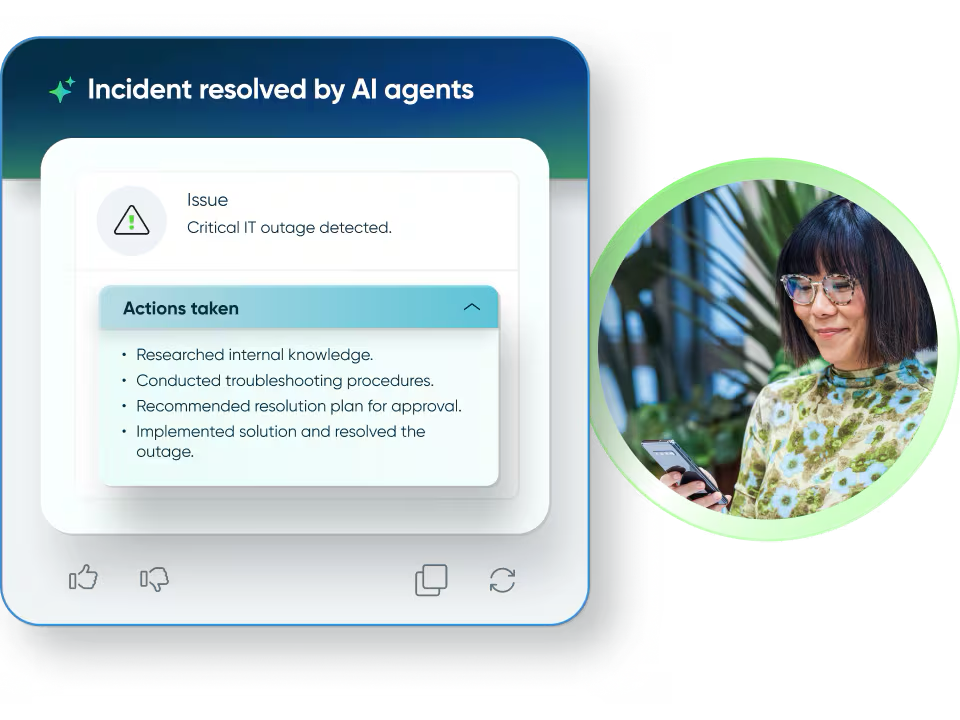
ServiceNow is where large IT organizations tend to land once they outgrow every lighter ITSM tool on the market. It covers the complete ITIL process set, incident, problem, change, and release management, running on top of a workflow platform flexible enough that many enterprises extend it well past IT into HR service delivery, legal intake, and general business process automation.
Pros
- Platform extensibility and enterprise workflow depth that no other tool on this list matches.
- A comprehensive CMDB paired with heavyweight automation and orchestration capabilities.
- An extensive catalog of pre-built enterprise integrations.
- Scales cleanly beyond IT into HR and other business-process use cases on the same platform.
Cons
- Rollouts are typically run by a dedicated platform team or an implementation partner, not a single IT admin.
- Pricing is quote-only and generally sits at the top of this list.
- New admins face a genuinely steep learning curve.
Pricing
- Contact sales only; ServiceNow is consistently positioned as the most expensive option here.
3. BMC Helix ITSM (Remedy): Best for Large, Regulated Enterprises Needing Deep Automation
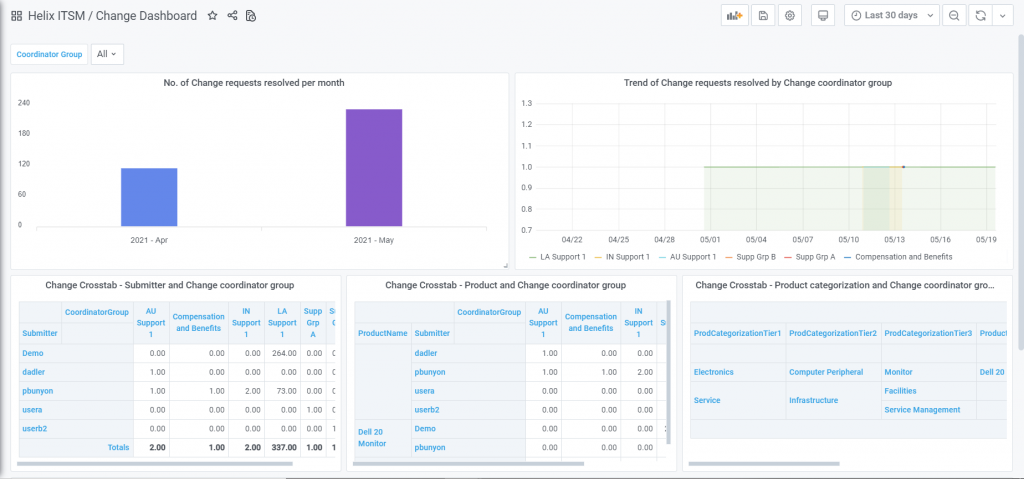
BMC Helix ITSM, the modern evolution of the long-running Remedy platform, is aimed at large enterprises operating in regulated or highly complex environments. Auto-classification and context-aware incident matching route tickets without manual triage, native AI and policy management sit on top of the core workflow, and multi-cloud support lets IT manage releases and changes across cloud providers from a single console.
Pros
- Auto-classification and context-aware incident matching cut down on manual triage.
- Native AI and policy management are built into the platform rather than sold as a separate product.
- Multi-cloud change and release management spans providers instead of locking you into one.
- Deep integration catalog covering Jira, Microsoft Teams, Azure DevOps, Slack, Salesforce, and SAP Solution Manager, among others.
Cons
- Pricing is available only on request and is widely reported as expensive relative to other ITSM tools.
- Full value depends on the kind of regulated, integration-heavy environment BMC built it for, which makes it overkill for a lean IT team.
- Implementation and administration generally require dedicated platform expertise.
Pricing
- Contact sales only; no published rate card.
4. Ivanti Neurons for ITSM: Best for Enterprises Unifying ITSM with Security and Endpoint Management
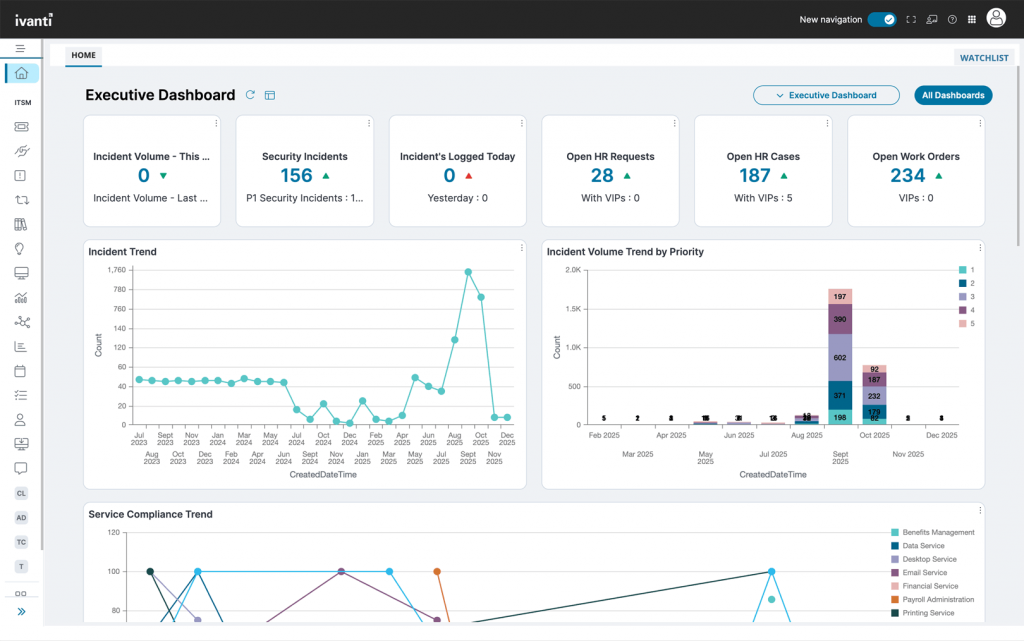
Ivanti Neurons for ITSM folds incident management, a self-service portal, and SLA management into the same Neurons platform Ivanti uses for unified endpoint management and security, so an IT team already running Ivanti for devices gets ticketing without adding an unrelated vendor. Customizable dashboards give real-time visibility into performance metrics, and role-based access controls keep sensitive ticket data restricted appropriately.
Pros
- Ticketing lives on the same Neurons platform as Ivanti’s unified endpoint management and security tools, cutting vendor sprawl for teams already in that ecosystem.
- Asset management gives full visibility into IT assets alongside workflow automation.
- Customizable, real-time dashboards for performance metrics.
- Role-based access controls and audit logs are built in for sensitive data handling.
Cons
- No free version is offered, only a free trial.
- Pricing requires a sales conversation, and third-party guides put per-user rates anywhere from roughly $100 to $500 per month depending on modules, a wide enough range that it’s worth getting a firm quote early.
- The biggest advantage depends on already using, or planning to adopt, the broader Ivanti Neurons stack.
Pricing
- Contact sales; pricing is negotiated per organization and varies with the modules, integrations, and user count involved.
5. Freshservice: Best for AI-Driven Service Desk Automation
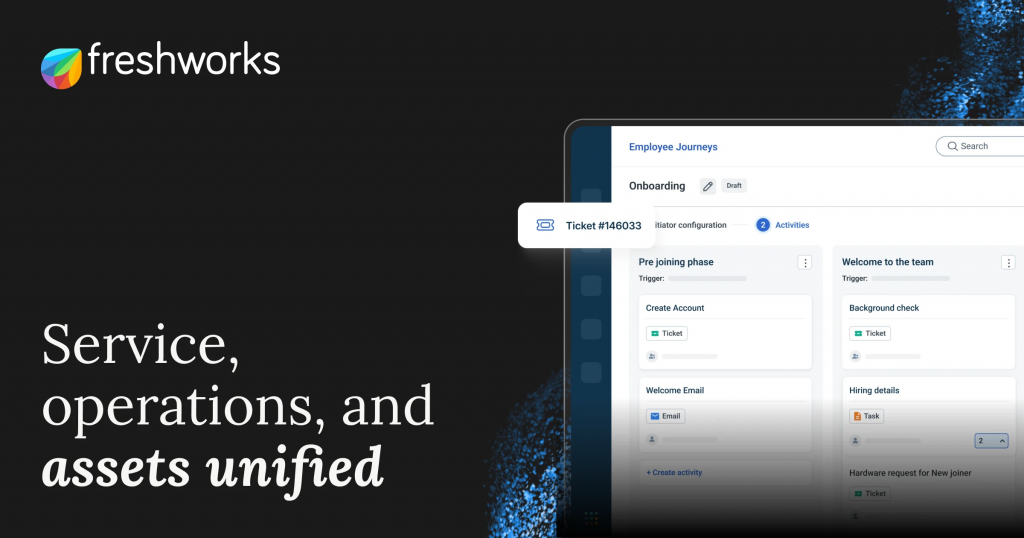
Freshservice builds AI directly into everyday ticket handling rather than treating it as a tacked-on feature. Its Freddy AI Copilot drafts replies, condenses long ticket threads, and turns resolved tickets into knowledge base articles, while AI-based routing assigns new tickets according to agent workload and availability. The platform connects to Microsoft Teams, Slack, Jira, Azure AD, and more than 1,200 other apps through its marketplace.
Pros
- Freddy AI Copilot drafts responses, summarizes threads, and generates knowledge base content from resolved tickets without extra setup.
- AI-based routing assigns tickets according to real-time agent workload and availability.
- Change management ships with approval workflows already built in.
- Asset management links hardware and software records directly to the tickets that reference them.
- Connects to Microsoft Teams, Slack, Jira, Azure AD, and 1,200-plus marketplace apps.
Cons
- The most capable AI features can sit behind a paid add-on.
- Per-user pricing climbs as headcount grows.
- Full ITIL process depth is concentrated in the higher-priced tiers.
Pricing
- Entry pricing runs around $19 per user per month, billed annually (vendor-listed rate, confirm before budgeting).
- Deeper AI capability typically requires an add-on.
- Full ITSM process coverage sits in the higher tiers.
6. SysAid: Best for Teams Wanting ITSM and Asset Management Bundled with Built-In AI
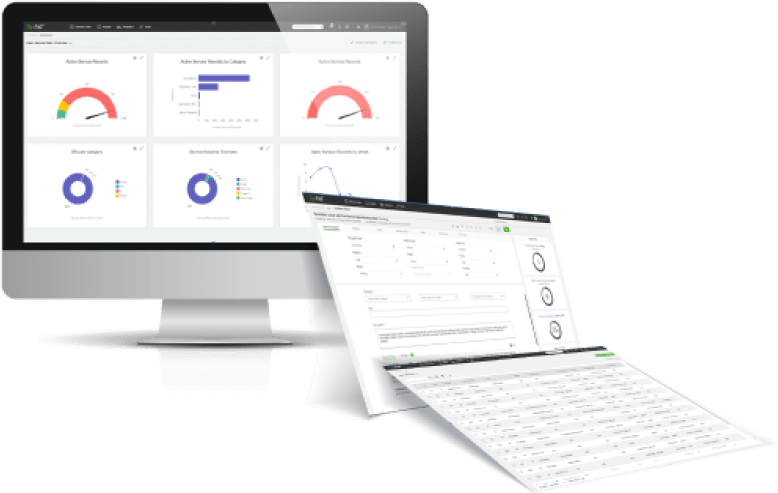
SysAid pairs core ITSM ticketing with asset management and a built-in AI copilot across its plans, rather than gating AI behind a separate product. It’s positioned for IT teams that want change management, problem management, and a CMDB without needing a full enterprise ITSM rollout to get there, and it scales pricing through volume discounts at set admin-count thresholds.
Pros
- AI copilot capabilities are built into the core plans instead of sold as a bolt-on.
- Change management, problem management, and CMDB ship together in the Professional/ITSM tier.
- Volume discounts kick in at defined admin thresholds, which rewards teams that grow into the platform.
- Asset discovery keeps a live inventory of workstations, servers, and mobile devices.
Cons
- SysAid doesn’t publish a public rate card, so every quote requires a sales conversation.
- Reported list pricing for the ITSM tier runs roughly $89 per agent per month before negotiated discounts, which is a meaningful line item for a lean team.
- Additional costs for implementation, training, and add-ons show up beyond the list price.
Pricing
- Contact sales for an exact quote; three main plans exist: Help Desk, Pro (ITSM), and Enterprise.
- Independent pricing guides estimate the ITSM tier at roughly $89 per agent per month list price.
- Volume discounts apply at 10-, 25-, 50-, 100-, 250-, and 500-admin thresholds.
7. Deskpro: Best for Teams That Need One Platform to Flex Between IT and Other Departments
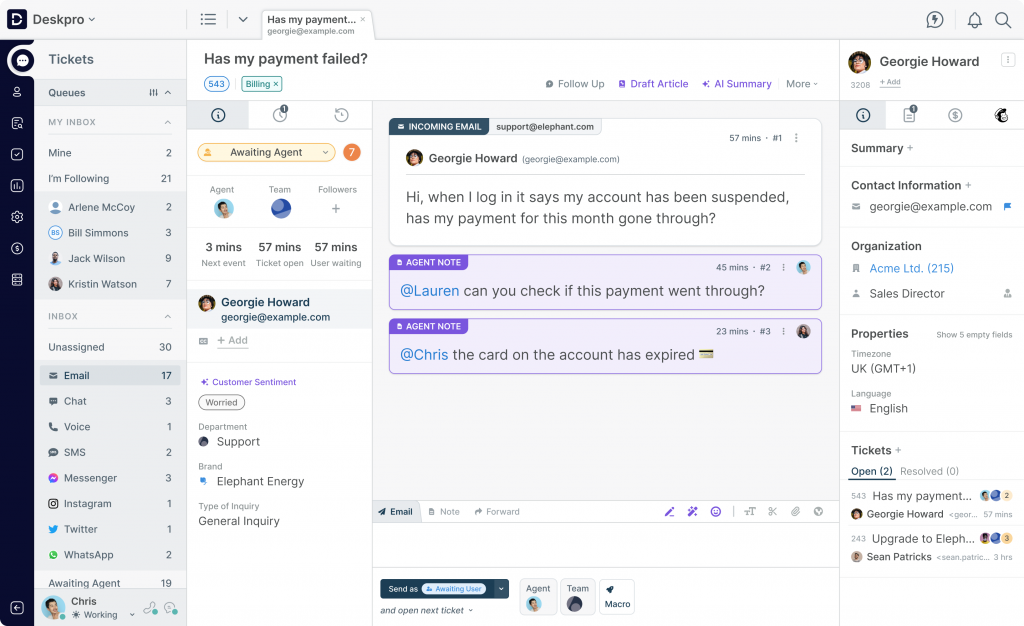
Deskpro centralizes ticket handling into a single workspace and is genuinely flexible about where it runs, offering both cloud and on-premise deployment, which matters for IT teams under data-residency or compliance constraints that rule out a cloud-only vendor. Multi-department workspaces let IT run its own queues alongside other internal teams, and known-issue management links related tickets to a single root cause instead of tracking duplicates separately.
Pros
- Genuine on-premise deployment option alongside cloud, useful for compliance-constrained IT teams.
- Known-issue management links duplicate tickets to a single root cause automatically.
- Multi-department workspaces let IT and other internal teams share the platform without stepping on each other’s queues.
- Self-service portal and detailed, role-based permissions ship on every tier.
Cons
- Per-user pricing on the higher tiers gets expensive for larger IT teams.
- No free plan, only a free trial, so there’s no no-cost way to run it long-term.
- On-premise implementations for larger deployments can run into five-figure setup costs depending on customization.
Pricing
- Team runs $39 per user per month.
- Professional runs $59 per user per month.
- Enterprise runs $99 per user per month.
8. SuperOps: Best for MSPs Wanting PSA and ITSM Ticketing in One Unified Platform
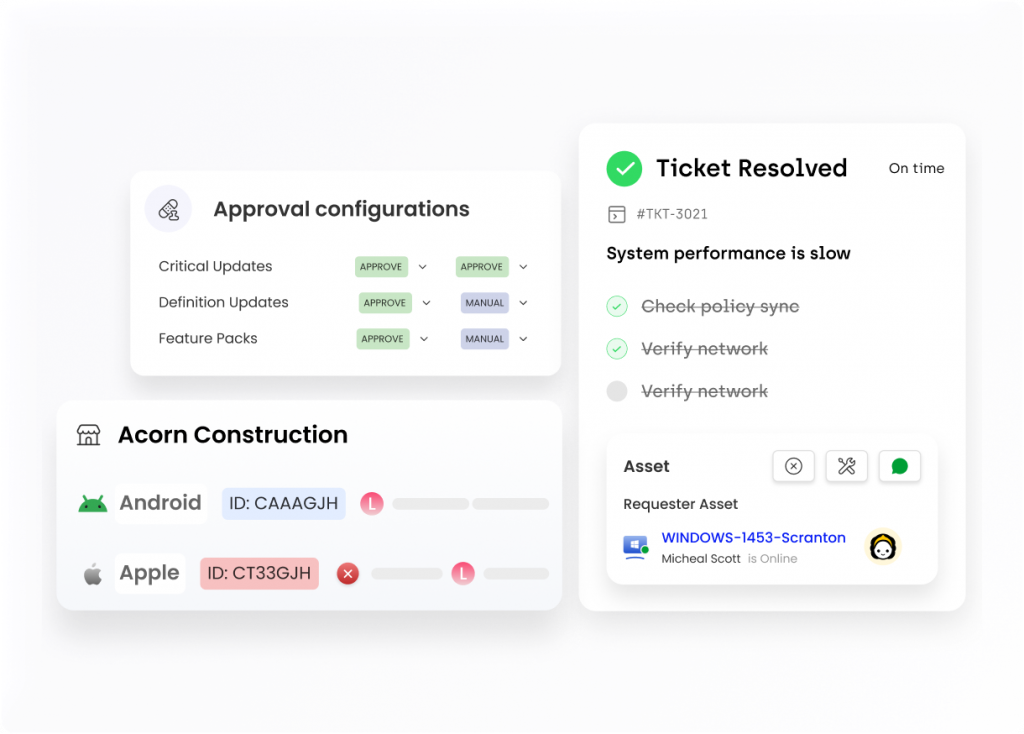
SuperOps unifies professional services automation (PSA) and ITSM-style ticketing with remote monitoring and management (RMM) in one platform, aimed squarely at IT teams and managed service providers juggling contracts, billing, and technical tickets across multiple client organizations at once. Higher tiers add AI-assisted ticketing automation, advanced patch management, and bundled remote access.
Pros
- PSA (contracts, billing, SLAs) and ITSM ticketing run in the same platform instead of two separate tools.
- RMM and unified endpoint management are included rather than requiring a third vendor.
- Per-technician pricing scales in a way reviewers describe as cost-effective for small-team MSPs.
- Higher tiers add AI ticketing automation, advanced patch management, and Splashtop-bundled remote access.
Cons
- No permanent free tier, only a free trial to evaluate the platform.
- The unified PSA-plus-RMM value proposition is strongest for MSPs managing multiple client organizations, less so for a single internal IT department.
- Full feature depth, including AI and advanced patching, is reserved for the higher-priced tiers.
Pricing
- PSA-only starts at $79 per month; RMM-only starts at $99 per month (per technician).
- Unified Pro tier runs $129 per month; Super tier runs $159 per month, per technician.
- No permanent free plan; a free trial is available.
9. Spiceworks Cloud Help Desk: Best Free Ticketing Tool for Small IT Teams
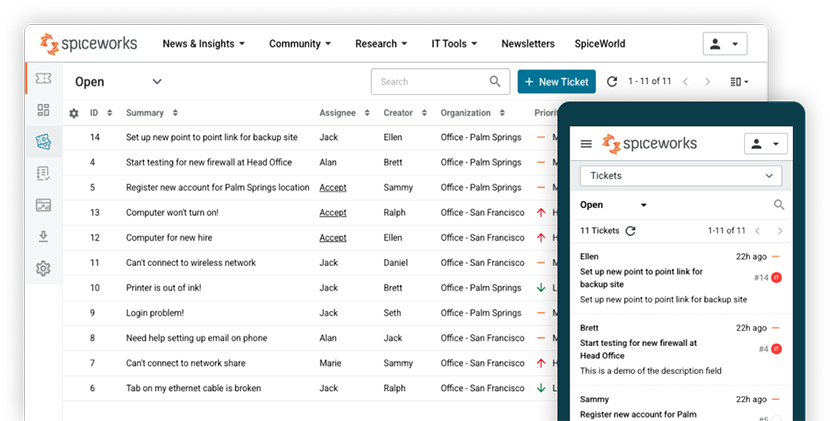
Spiceworks Cloud Help Desk gives small IT teams a genuinely free ticketing system rather than a time-boxed trial, covering ticketing, asset tracking, alerts, and reporting for unlimited end users on its Core plan. The tradeoff is that the free tier carries ads, and a low-cost Premium plan removes them along with adding further capability for teams that outgrow the basics.
Pros
- The Core plan is genuinely free, with no seat cap on end users, not a time-limited trial.
- Ticketing, asset tracking, alerting, and reporting ship together even on the free tier.
- Automation rules route tickets by priority or issue type without manual triage.
- Employees can submit tickets from a dedicated email address without needing portal access.
Cons
- The free Core plan is ad-supported, which some IT teams find inappropriate for an internal tool.
- Feature depth is noticeably lighter than the enterprise and mid-market platforms on this list.
- ITIL-aligned process management (formal change, problem, and release workflows) isn’t part of the offering.
Pricing
- Core plan: $0/month, ad-supported, unlimited end users.
- Premium plan: $6 per agent per month, ad-free with added capability.
10. osTicket: Best Open-Source Ticketing System for Teams Wanting Full Control
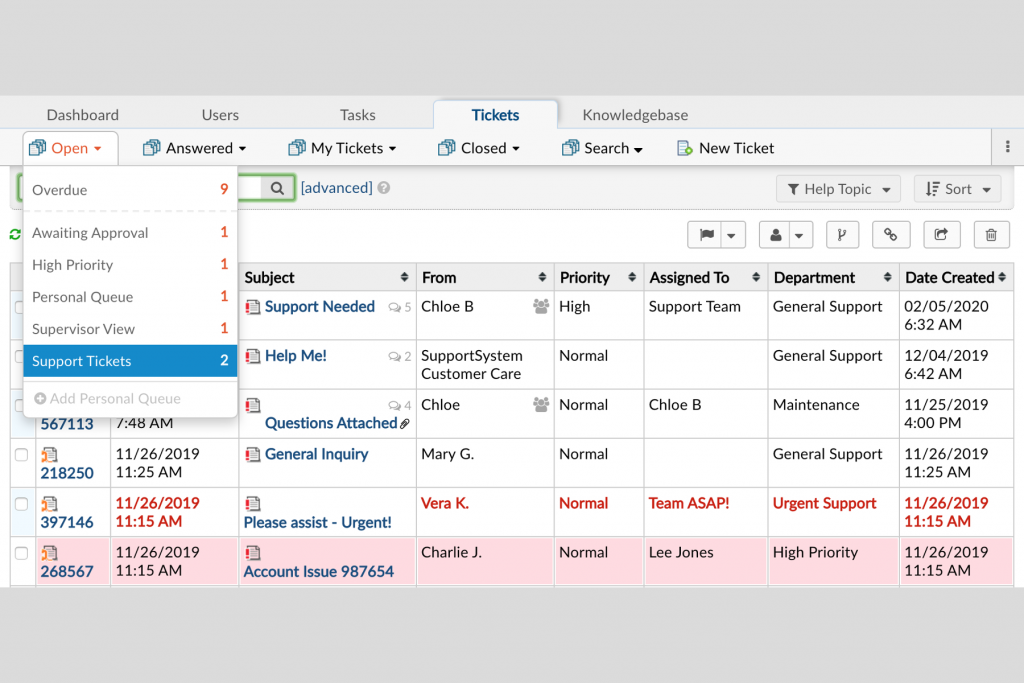
osTicket is a free, open-source ticketing system that IT teams can self-host and modify outright, rather than renting access to someone else’s platform. Custom ticket queues, configurable help topics, SLA plans, and an employee self-service portal cover the core of what a ticketing system needs, and incoming tickets route automatically to the right department or staff member based on the request. A hosted cloud version is also available for teams that don’t want to run their own server.
Pros
- The software itself is free and open source, with the full source code available to inspect or modify.
- Custom ticket queues, fields, and configurable help topics adapt the system to how your team actually works.
- SLA plans and automatic routing to the right department are built in.
- A cloud-hosted option exists for teams that want the software without running their own server.
Cons
- Self-hosting means you’re responsible for hosting, setup, security patching, and ongoing maintenance, real costs even though the license is free.
- Interface and feature depth trail well behind the commercial platforms on this list, particularly around asset management and AI.
- Support is largely community-driven for self-hosted installs, rather than a vendor SLA.
Pricing
- Free to self-host, license cost included.
- Cloud-hosted plans start at roughly $12 per agent per month; confirm the current rate directly with osTicket before budgeting.
What Features Should an Internal IT Ticketing System Have?
Whatever you shortlist, a handful of capabilities consistently separate a system that just logs tickets from one that actually runs an IT department:
- Ticketing and automated routing. Requests should become tickets automatically, whether they arrive by email, portal, chat, or a monitoring-tool alert, and route to the right agent or team without someone sorting them by hand.
- IT asset management and CMDB. Linking a ticket to the exact device, license, or system involved cuts down on back-and-forth questions and builds a real inventory over time as a side effect.
- SLA management. Automatic tracking and escalation when a ticket is at risk of missing its response or resolution target keeps deadlines honest instead of aspirational.
- Self-service portal and knowledge base. Letting employees resolve common issues, like a password reset, or submit a well-formed request on their own keeps ticket volume down for the repetitive stuff.
- Workflow automation. Rules for categorization, assignment, and routine approval steps free up agent time for problems that actually require a person’s judgment.
- Reporting and dashboards. Visibility into ticket volume, resolution time, and where requests are bottlenecking, ideally mapped to the ITIL processes your team is measured against.
- Integrations with identity and collaboration tools. Connections to Azure AD, Okta, Slack, and Microsoft Teams matter here since both the requester’s identity and the request itself originate inside systems you already run.
How to Choose the Right Ticketing System for Your IT Team
Start by sizing the decision to your team, not the market leader’s reputation. A five-person IT team supporting a few hundred employees needs something fast to configure and light to administer; an enterprise IT organization supporting tens of thousands of employees can justify the setup investment a platform like ServiceNow or BMC Helix ITSM requires, and generally needs the depth those platforms provide anyway.
From there, weigh how much of your existing stack should steer the decision. A team already standardized on Ivanti for endpoint management gets real value from staying inside Ivanti Neurons for ITSM instead of adding a second vendor. An MSP juggling several client organizations gets more out of SuperOps’s combined PSA-and-ticketing model than out of a single-tenant tool built for one internal department. These fits save real integration and admin time, but they shouldn’t override a genuine feature or budget gap somewhere else on this list.
Finally, be honest about how much ITSM maturity your team needs today, not in three years. A small IT team with straightforward requests doesn’t need full ITIL process alignment on day one, and a free or low-cost tool like Spiceworks Cloud Help Desk or a self-hosted osTicket instance can cover the basics without a procurement cycle. A team that already needs asset tracking, SLA enforcement, or change management is better served starting with a platform built for that, like InvGate Service Management or SysAid, rather than migrating tickets and workflows out of a simpler tool later.
Frequently Asked Questions
What is the best ticketing system for internal IT teams overall?
InvGate Service Management is our top overall pick for internal IT ticketing in 2026. It combines ITIL-aligned ITSM, including asset and configuration management, SLA tracking, and a no-code workflow builder, with a setup process that’s considerably more accessible than enterprise-only platforms like ServiceNow or BMC Helix ITSM, and AI capabilities included across every tier rather than gated behind an add-on.
What’s the difference between ITSM and basic ticketing software?
Basic ticketing software logs a request, assigns it, and tracks it to close. ITSM (IT service management) builds on that core with formal processes: incident management for restoring service fast, problem management for fixing root causes, change management for reviewing and approving updates before they go live, and a CMDB that ties every ticket to the actual asset involved. Platforms like InvGate Service Management, ServiceNow, and BMC Helix ITSM are built around that fuller ITSM model; lighter tools like Spiceworks Cloud Help Desk or osTicket cover the ticketing core without the full ITIL-aligned process layer.
How much does a ticketing system for internal IT cost?
It varies enormously by platform and scale. Some tools publish a starting rate, InvGate Service Management starts at $1,499/year for 5 agents and moves to $500/agent/year on its Pro tier, Freshservice starts around $19 per user per month billed annually, and Spiceworks Cloud Help Desk’s Core plan is free. Others, including ServiceNow, BMC Helix ITSM, and Ivanti Neurons for ITSM, require a sales conversation because pricing depends on agent count, modules, and deployment scale. Always confirm current pricing directly with the vendor before you budget.
Do small IT teams need a full ITSM platform, or is basic ticketing enough?
It depends on how complex your request volume and processes already are. A small team fielding straightforward requests can start with a lightweight or free tool, such as Spiceworks Cloud Help Desk or a self-hosted osTicket instance, and grow into a fuller ITSM platform later. Teams that already need asset tracking, SLA enforcement, or ITIL-aligned change management are better off starting with a more complete platform like InvGate Service Management rather than migrating data and workflows out of a simpler tool once they’ve outgrown it.
What’s the difference between a help desk and a service desk?
A help desk traditionally covers reactive support: something breaks, an agent fixes it. A service desk, the term ITIL and most modern platforms actually use, covers that same reactive support plus proactive processes like change management, asset management, and formal service request fulfillment. Nearly every platform reviewed above functions as a full service desk today, even when “ticketing system” or “help desk” is the term that brought you here through search.
Can one platform handle IT, HR, Legal, and Facilities requests from the same queue?
Yes, with the right platform. InvGate Service Management and Deskpro both let each department run its own service catalog, categories, and SLAs on shared infrastructure, so HR onboarding requests and IT hardware tickets flow through the same system without forcing every department onto identical workflows. Narrower, IT-only tools generally don’t offer this, since they’re built around a single department’s processes from the ground up.







 Facebook
 Twitter
 Instagram
 LinkedIn