

Choosing IT help desk software is really a decision about how fast your employees get unblocked when something breaks. A slow, disorganized ticketing process means lost laptops sit unrepaired, password resets pile up in a shared inbox, and new hires wait days for basic access. IT help desk software fixes that by turning scattered requests into a tracked, measurable workflow.
This guide covers the 10 best IT help desk software platforms for internal support teams in 2026, starting with InvGate Service Management, our top overall pick for IT teams that want a full ITSM platform without an enterprise-only price tag or a multi-month rollout.
What Is IT Help Desk Software?
IT help desk software is a system that lets an internal IT team receive, track, and resolve technical requests from employees in one place. Instead of support requests scattered across email threads, Slack messages, and phone calls, every request becomes a ticket with an owner, a status, and a history. Most modern platforms go further than basic ticketing: they add IT asset management, service level agreement (SLA) tracking, automation rules, and a self-service portal so employees can submit requests or find answers without waiting on an agent.
For IT managers, the software is also the system of record for how the department runs. Ticket data shows where time actually goes, which categories of requests are most common, and where a process is breaking down before it becomes a bigger problem.
IT Help Desk Software vs. Customer Service Help Desk Software: What’s the Difference?
These two categories share the word “help desk,” which causes a lot of confusion in search results and buying guides. They are built for different audiences and different problems.
- IT help desk software manages requests from employees inside your organization: password resets, hardware issues, software access, onboarding and offboarding, and IT service management (ITSM) processes like incident, problem, and change management.
- Customer service help desk software manages requests from paying customers outside your organization: order issues, billing questions, product support, and live chat, usually tied into a CRM.
A tool built for customer support can technically handle a few internal tickets, but it will be missing IT-specific features like asset and configuration management (CMDB), ITIL-aligned workflows, and integrations with identity providers such as Azure AD or Okta. This guide only covers platforms built for internal IT support, not customer-facing help desks.
The 10 Best IT Help Desk Software Platforms, Compared
Before the full reviews, here is how the top 10 platforms stack up on the factors that matter most for an internal IT team: what each one is best for, its core feature set, its general pricing tier, and what sets it apart.
| # | Platform | Best For | Key Features | Pricing Tier | Standout Differentiator |
|---|---|---|---|---|---|
| 1 | InvGate Service Management | Best overall ITSM platform for internal IT teams | Ticketing, asset/CMDB, SLA management, automation, self-service portal, ITIL-aligned workflows, reporting | Starter $1,499/year (5 agents); Pro $500/agent/year; Enterprise custom | Full ITIL-aligned suite with strong asset/CMDB depth at a more accessible entry point than enterprise-only platforms |
| 2 | Freshservice | AI-driven service desk automation | Ticketing, asset management, SLA management, Freddy AI copilot, self-service portal | From $19/user/month, billed annually | AI ticket summarization and auto-routing built into the core workflow |
| 3 | Jira Service Management | IT teams already using Jira for dev collaboration | Ticketing, incident/change management, asset management, knowledge base, deep Jira/Confluence integration | Free tier available; paid tiers scale with agent count | Native integration with Jira and Confluence for dev-and-IT collaboration |
| 4 | ManageEngine ServiceDesk Plus | Budget-conscious teams that need strong asset management | Ticketing, ITAM/CMDB, SLA management, ITIL processes, self-service portal | Contact sales, tiered editions | Strong built-in IT asset management at a lower typical cost than enterprise ITSM suites |
| 5 | ServiceNow | Large enterprises needing full-scale ITSM/ITOM | Ticketing, incident/problem/change management, CMDB, workflow automation, enterprise integrations | Contact sales only | Broadest enterprise workflow and platform extensibility of any tool on this list |
| 6 | TOPdesk | Shared IT and facilities service desks | Ticketing, asset management, SLA management, self-service portal, multi-department service catalog | Contact sales | Runs IT and non-IT service desks (facilities, HR) from one shared platform |
| 7 | HaloITSM | All-inclusive flat-rate pricing | Ticketing, asset/CMDB, SLA management, ITIL processes, self-service portal, automation | Flat per-agent pricing, contact sales for exact rate | Unlimited-feature flat pricing model instead of gated feature tiers |
| 8 | SolarWinds Service Desk | IT teams already using SolarWinds monitoring tools | Ticketing, incident/problem management, asset/CMDB, reporting, native monitoring integration | Contact sales; free 30-day trial | Direct ticket creation from SolarWinds network and server monitoring alerts |
| 9 | HappyFox Service Desk | Multi-department internal help desks | Ticketing, asset management, SLA management, self-service portal, multi-department workflows | Contact sales | Built to run several internal help desks, such as IT, HR, and admin, from one shared instance |
| 10 | Vivantio | Flexible, configurable ITSM for MSPs and mid-size enterprise IT | Ticketing, asset/CMDB, SLA management, ITIL processes, configurable workflows, multi-client support | Contact sales, tiered plans | High configurability for teams supporting multiple internal client groups or business units |
Pricing changes over time, so treat the figures above as a general guide and confirm current rates directly with each vendor before you budget.
In-Depth Reviews: The 10 Best IT Help Desk Platforms for 2026
1. InvGate Service Management: Best Overall ITSM Platform for Internal IT Teams
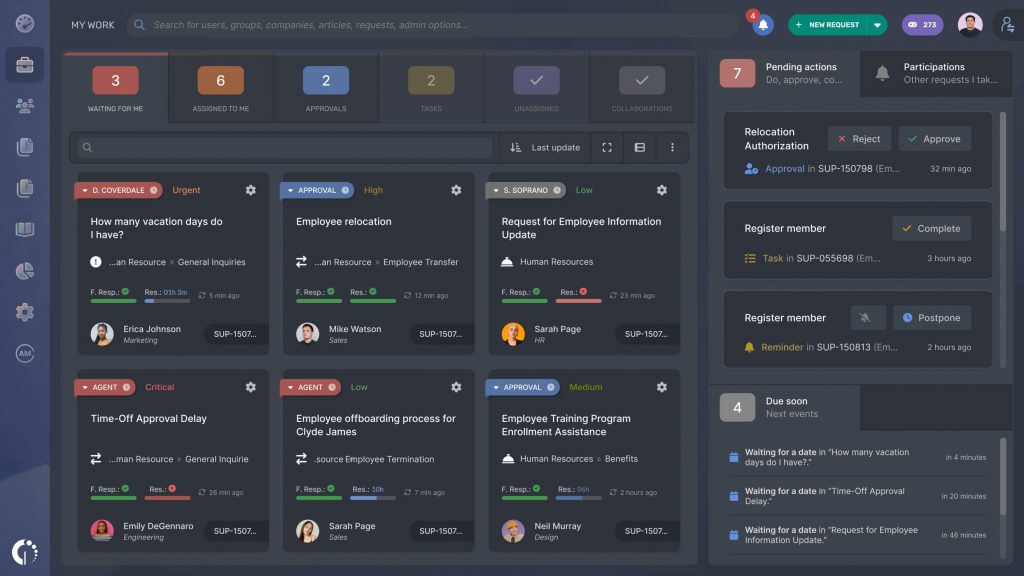
InvGate Service Management is an ITSM platform admins can shape themselves: workflows, forms, and approval chains get built point-and-click, without looping in a developer or a partner. It’s aimed at IT teams that have outgrown a bare-bones help desk but aren’t ready for a sprawling enterprise suite, typically somewhere between 1,000 and 10,000 employees. Pair it with InvGate Asset Management and agents see hardware details right on the ticket. Most teams are up and running in weeks rather than quarters.
Pros
- Workflows, forms, and approval chains are built visually, no code, no consultant needed to tweak them.
- Approvers don’t consume a paid license, so sign-off chains don’t inflate seat costs.
- Native link to InvGate Asset Management puts hardware context right on the ticket.
- The Virtual Service Agent handles routine requests across the self-service portal, WhatsApp, Microsoft Teams, and Slack.
- HR, Legal, Facilities, and Finance can run their own service catalog on the same platform, no extra license.
- Knowledge Discovery uses AI to turn closed tickets into reusable knowledge without anyone writing an article.
Cons
- Project management capabilities are limited, you’ll want a separate tool for formal project tracking.
- Support runs business hours only; there’s no 24/7 coverage.
- No dedicated MSP/multi-tenant offering for teams managing multiple client environments.
Pricing
- Starter: $1,499/year flat, covers 5 agents.
- Pro: $500/agent/year, scales from 5 to 50 agents.
- Enterprise: custom quote.
- 30-day free trial available.
2. Freshservice: Best for AI-Driven Service Desk Automation
Freshservice is a cloud-based ITSM platform built for IT teams that want AI embedded directly into day-to-day ticket handling rather than added as an afterthought. Its Freddy AI Copilot can draft ticket responses, summarize long threads, and generate knowledge base articles from resolved tickets, while AI-driven routing assigns incoming tickets based on agent availability and workload. Freshservice integrates with Microsoft Teams, Slack, Jira, Azure AD, and more than 1,200 apps through its marketplace.
Pros
- Freddy AI Copilot drafts ticket responses, summarizes long threads, and generates knowledge base articles from resolved tickets automatically.
- AI-driven routing assigns incoming tickets based on agent availability and workload.
- Change management ships with built-in approval workflows.
- Asset management links hardware and software directly to related tickets.
- Integrates with Microsoft Teams, Slack, Jira, Azure AD, and more than 1,200 apps through its marketplace.
Cons
- The most useful AI features can require a paid add-on.
- Per-user pricing can get expensive as headcount grows.
- Full ITIL-aligned process depth sits behind higher-priced tiers.
Pricing
- Starting price is around $19 per user per month, billed annually (vendor-listed rate, confirm before budgeting).
- Advanced AI features typically require an add-on.
- Higher tiers unlock deeper ITSM process coverage.
3. Jira Service Management: Best for IT Teams Already Using Jira
Jira Service Management, from Atlassian, is a natural fit for organizations where development and IT already live inside Jira and Confluence. It brings ITSM capabilities such as incident management, change management, and a configurable service catalog into the same ecosystem developers use for sprint work, which removes a lot of the friction that shows up when IT and engineering run on separate tools.
Pros
- Native integration with Jira Software and Confluence means an IT ticket can be linked directly to the engineering ticket that’s blocking its resolution.
- Configurable service catalog and major incident workflows out of the box.
- Knowledge base powered by Confluence.
- A free tier is available for small teams.
Cons
- The biggest advantage only materializes if your organization already runs on Atlassian products.
- Enterprise plan requires a sales conversation.
- Configuration outside the Atlassian ecosystem takes more setup work.
Pricing
- Free tier available for small teams.
- Paid tiers scale by agent count.
- Enterprise: custom quote.
4. ManageEngine ServiceDesk Plus: Best for Budget-Conscious Asset Management
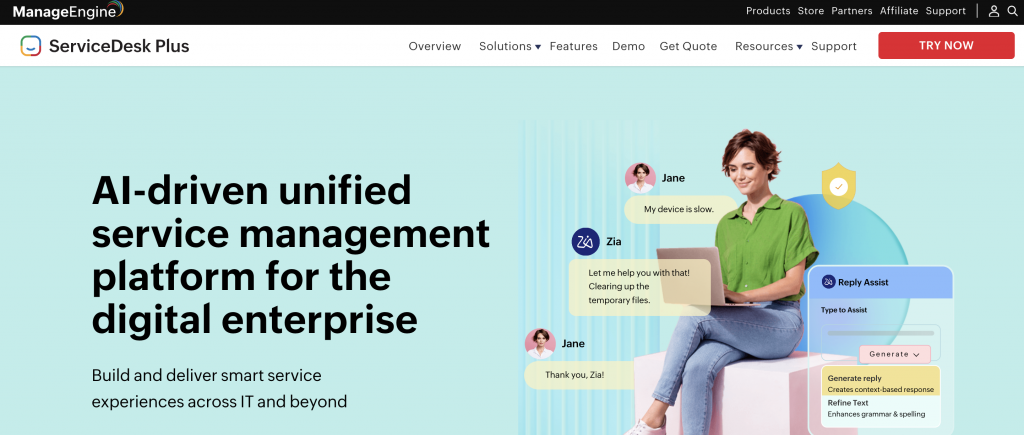
ManageEngine ServiceDesk Plus pairs solid ITSM fundamentals with one of the stronger built-in IT asset management (ITAM) modules on this list, at a price point that tends to run lower than comparable enterprise suites. It’s part of the larger ManageEngine/Zoho ecosystem, which helps if your IT stack already includes other ManageEngine tools.
Pros
- Strong built-in IT asset management (ITAM) module for the price point.
- Asset discovery keeps hardware and software inventory current without manual entry.
- Multiple product editions let teams match spend to needs.
- Fits naturally alongside other tools in the ManageEngine/Zoho ecosystem.
Cons
- Pricing requires a sales conversation rather than a published self-serve rate.
- Interface can feel dated next to newer, more polished competitors.
- Deeper ITIL processes are concentrated in the higher editions.
Pricing
- Contact sales, tiered editions: Standard, Professional, and Enterprise.
5. ServiceNow: Best for Large-Scale Enterprise ITSM
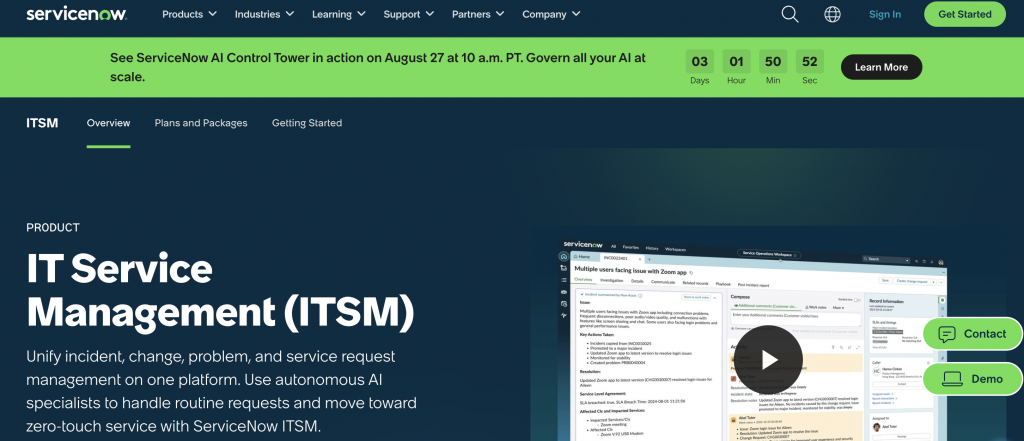
ServiceNow is the platform most large enterprises eventually graduate to once their IT operations outgrow smaller ITSM tools. It covers the full range of ITSM processes, incident, problem, change, and release management, on top of a highly extensible workflow platform that many organizations use well beyond the IT help desk, including HR service delivery and broader business process automation.
Pros
- Broadest enterprise workflow and platform extensibility of any tool on this list.
- Comprehensive CMDB with deep workflow automation and orchestration.
- Extensive library of enterprise integrations.
- Scales beyond IT into HR service delivery and broader business process automation.
Cons
- Implementations are typically handled by internal platform teams or partners, not a single IT admin.
- Pricing is quote-based and generally the highest on this list.
- Steep learning curve for smaller IT teams.
Pricing
- Contact sales only; generally positions ServiceNow at the higher end of this list.
6. TOPdesk: Best for Shared IT and Facilities Service Desks
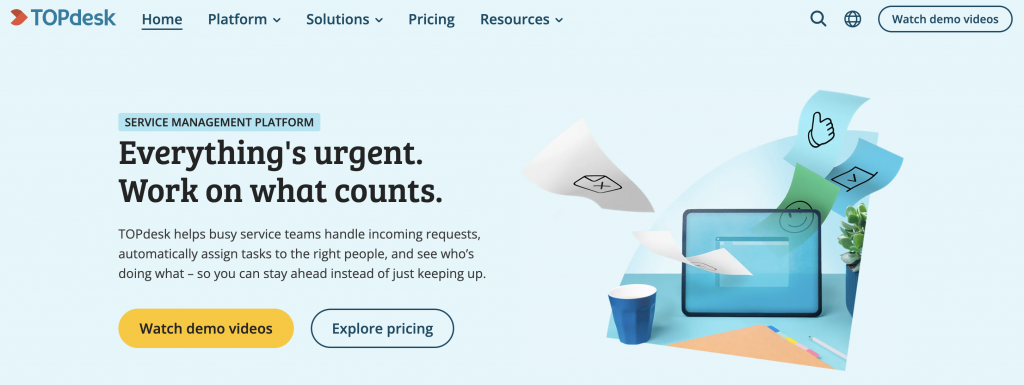
TOPdesk stands out for organizations that want to run more than just IT support on the same platform. It’s built around a shared service desk model, so IT, facilities, and HR can each manage their own request types and service catalogs while sharing the same underlying ticketing and reporting engine.
Pros
- Runs IT and non-IT service desks (facilities, HR) from one shared platform.
- Multi-department service catalog with shared ticketing and reporting.
- Self-service portal presents different request types depending on the department.
- Genuinely IT-service-management-capable, not just a facilities system with a ticketing bolt-on.
Cons
- Pricing requires a sales conversation.
- Full value depends on actually consolidating multiple departments onto the platform.
- Less name recognition in pure IT-only shortlists compared to ITSM-first vendors.
Pricing
- Contact sales.
7. HaloITSM: Best for All-Inclusive Flat-Rate Pricing
HaloITSM‘s main differentiator is its pricing model: instead of gating features behind multiple paid tiers, it offers a flat per-agent rate that includes the full feature set, including ITIL processes, asset management, and automation.
Pros
- Flat per-agent pricing includes the full feature set instead of gating features behind tiers.
- Built-in CMDB, SLA management with escalation rules, self-service portal, and workflow automation.
- Recognized in independent buyer’s guides for feature completeness and pricing transparency.
- Avoids the frustration of discovering a needed feature sits behind a higher-priced plan.
Cons
- Exact per-agent rate still requires a sales conversation.
- Flat, full-feature pricing can cost more for teams that only need basic ticketing.
Pricing
- Flat per-agent pricing, contact sales for exact rate.
8. SolarWinds Service Desk: Best for Teams Already Using SolarWinds Monitoring
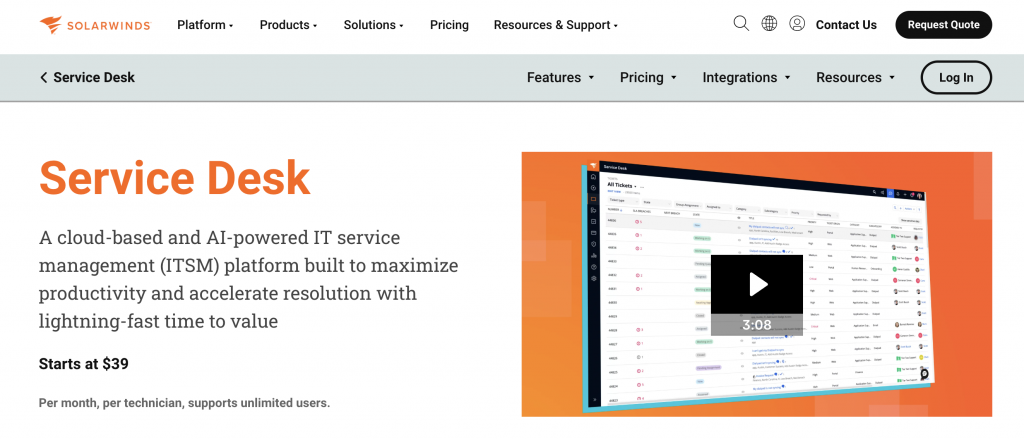
SolarWinds Service Desk is the natural next step for IT teams already using SolarWinds’ network and server monitoring tools. It can automatically convert performance alerts from SolarWinds Network Performance Monitor, Server & Application Monitor, and Network Configuration Manager directly into service tickets, closing the gap between “something broke” and “someone is working on it.”
Pros
- Automatically converts SolarWinds monitoring alerts into service tickets.
- Parent-child linking between incident and problem tickets (closing a problem ticket automatically closes its linked incidents).
- Built-in reporting engine for technician performance and resolution metrics.
- A lighter Web Help Desk product is available for teams that only need ticketing, with a path to upgrade.
Cons
- The clearest payoff depends on already using SolarWinds for infrastructure monitoring.
- Pricing beyond the trial requires a sales conversation.
Pricing
- Contact sales; free 30-day trial available.
9. HappyFox Service Desk: Best for Multi-Department Internal Help Desks
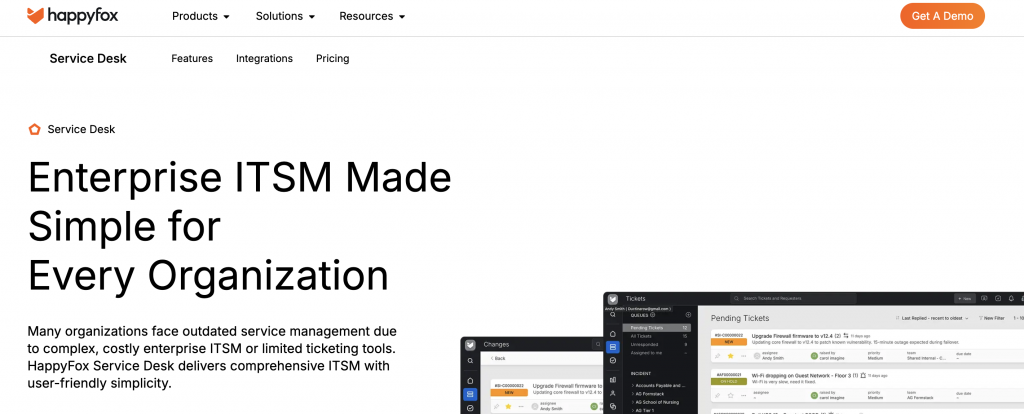
HappyFox Service Desk is built to run more than one internal help desk from a single instance, which makes it a good fit for organizations that want IT, HR, and admin teams each managing their own ticket queues without buying three separate tools.
Pros
- Runs several internal help desks, such as IT, HR, and admin, from one shared instance.
- Each department can configure its own categories, SLAs, and self-service content while IT retains a unified view.
- Recognized in independent software reviews for ease of setup relative to larger ITSM suites.
Cons
- Pricing requires a sales conversation.
- Less asset/CMDB depth than ITSM-first competitors on this list.
Pricing
- Contact sales.
10. Vivantio: Best for Flexible, Configurable ITSM
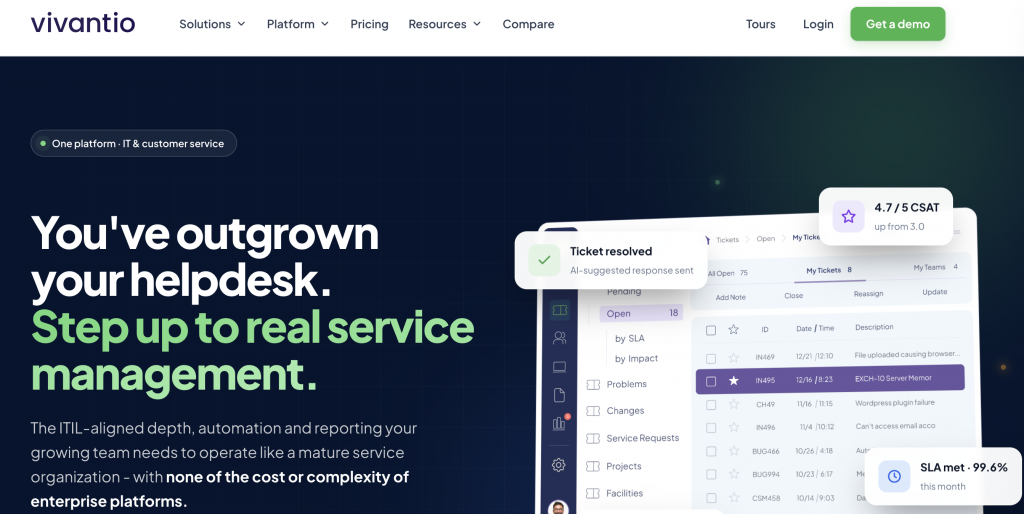
Vivantio‘s strength is configurability. It’s built to support IT teams that serve multiple internal client groups, business units, or, in the case of managed service providers, multiple external client organizations, each potentially needing different workflows, SLAs, and reporting.
Pros
- High configurability for teams supporting multiple internal client groups or business units.
- ITIL-aligned process templates plus a workflow configuration layer admins can tailor per team or client without custom development.
- Well suited to MSPs managing several distinct client organizations.
Cons
- Steeper initial configuration process than some of the more out-of-the-box tools on this list.
- Pricing is tiered and requires a sales conversation.
Pricing
- Contact sales, tiered plans.
What Features Should IT Help Desk Software Have?
Whichever platform you shortlist, a handful of features consistently separate a tool that just logs tickets from one that actually runs your IT department:
- Ticketing and automated routing. Requests should convert into tickets automatically, whether they arrive by email, portal, chat, or integration, and route to the right agent or team without manual sorting.
- IT asset management and CMDB. Tying tickets to the specific device, license, or system involved cuts down on back-and-forth and gives you a real inventory over time.
- SLA management. Automated tracking and escalation when a ticket is at risk of missing its response or resolution target keeps priorities honest.
- Self-service portal and knowledge base. Letting employees find answers or submit well-formed requests on their own reduces ticket volume for common issues like password resets.
- Workflow automation. Rules for categorization, assignment, and repetitive approval steps free up agent time for work that actually needs a human.
- Reporting and dashboards. You need visibility into ticket volume, resolution time, and where requests are bottlenecking, ideally mapped to the ITIL processes your team is measured against.
- Integrations with identity and collaboration tools. Connections to Azure AD, Okta, Slack, and Microsoft Teams matter more for internal IT tools than for customer support software, since requests and identity verification both originate inside your existing systems.
How to Choose the Right IT Help Desk Software for Your Team
Start with team size and ticket volume. A five-person IT team supporting 200 employees has very different needs than an enterprise IT organization supporting 20,000. Smaller teams generally get more value from a tool that’s fast to configure and doesn’t require a dedicated administrator, while larger organizations can justify the setup investment a platform like ServiceNow requires.
Next, weigh how much of your existing stack should influence the decision. If your engineering team already lives in Jira, that pulls toward Jira Service Management. If your infrastructure monitoring already runs on SolarWinds, that pulls toward SolarWinds Service Desk. These integrations save real setup time, but they shouldn’t override a clear feature or budget gap elsewhere.
Finally, be honest about how much ITSM maturity you actually need right now. Not every team needs full ITIL process alignment on day one. A tool like InvGate Service Management or HaloITSM gives you room to grow into more advanced ITSM practices without forcing that complexity from the start, which is often a better fit than jumping straight to an enterprise platform built for a much larger organization.
Frequently Asked Questions
What is the best IT help desk software overall?
InvGate Service Management is our top overall pick for internal IT help desk software in 2026. It combines a full ITIL-aligned ITSM feature set, including asset and configuration management, SLA tracking, and workflow automation, with a setup process that’s more accessible than enterprise-only platforms like ServiceNow.
Is IT help desk software the same as customer service software?
No. IT help desk software manages requests from employees inside your organization, such as hardware issues, access requests, and IT service management processes. Customer service help desk software manages requests from external, paying customers and is usually tied to a CRM. The two categories use similar language but solve different problems.
How much does IT help desk software cost?
Pricing varies widely by platform and scale. Some tools publish a starting rate, InvGate Service Management starts at $1,499/year for 5 agents and moves to $500/agent/year on its Pro tier, and Freshservice starts around $19 per user per month, billed annually. Others, including ServiceNow and TOPdesk, require a sales conversation because pricing depends on agent count, feature tier, and deployment scale. Always confirm current pricing directly with the vendor before budgeting.
Do small IT teams need a full ITSM platform, or is basic ticketing enough?
It depends on how complex your request volume and processes already are. A small team with straightforward requests can start with lighter ticketing and grow into a fuller ITSM platform later. Teams that already need asset tracking, SLA enforcement, or ITIL-aligned change management benefit from starting with a more complete platform like InvGate Service Management rather than migrating later once data and workflows are already built up in a simpler tool.
What’s the difference between a help desk and a service desk?
A help desk traditionally focuses on reactive support: someone has a problem, and an agent resolves it. A service desk, the term used across ITIL and most modern ITSM platforms, covers that same reactive support plus proactive processes like change management, asset management, and service request fulfillment. Most current platforms, including every tool reviewed above, function as full service desks even when “help desk” appears in their name or in search terms people use to find them.







 Facebook
 Twitter
 Instagram
 LinkedIn